Rules That Stick: How Pinke Stays Consistent
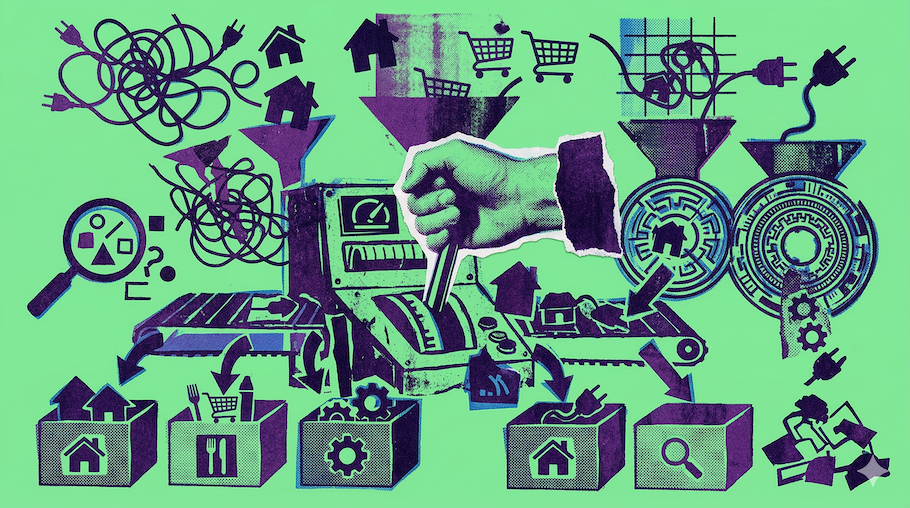
Pinke is rule-based because consistency is the real superpower. When categories and tags mean the same thing next month and next year, you can compare, spot patterns, and talk about your spending without re-explaining your own data every time.
This post explains what Rules & Merchants are, how the pipeline works, and how text matching behaves.
Rules & Merchants
Rules are applied during import and can also be used to update existing analyzed rows. User rules override system rules.
Merchant aliases help normalize noisy payee names into one consistent merchant. That normalized merchant name becomes a stable input for your rules.
The goal is simple: turn messy exports into a standardized schema that stays comparable over time.
How rules work
When you upload a file, Pinke first normalizes the raw rows. That includes building a full-text search blob and detecting merchants via aliases (so REWE 123, REWE SAGT DANKE, etc. can become the same merchant).
When you analyze (or re-analyze), Pinke runs these steps in order:
- Normalize + merchant matching (aliases)
- User rules
- System rules
- ML fallback
- Review queue (Patterns)
User rules always win. If you set a personal rule, it overrides everything below it.
What each step does (quickly)
Normalize + merchant matching (aliases)
Turns noisy exports into consistent fields and tries to identify a canonical merchant via aliases. The result is a stable merchant and a full-text blob used by rules.
User rules
Your personal rules. They are the highest priority.
System rules
Read-only rules shipped with Pinke, grouped by category.
ML fallback
Used only when rules do not match well enough. It is a fallback, not the main system.
Review queue (Patterns)
Anything unclear stays visible as uncategorized and can be surfaced as a suggestion under Ingest → Patterns so you can create a rule and apply it to similar rows.
Example
Input: Text contains grundsteuer b
Rule applied: system.housing > housing.tax.grundsteuer_b
Result: category=housing, subcategory=tax, group=fixed_costs
That is the core idea: an understandable match leads to a stable category.
ML fallback example
ML fallback is only used when no rule matched.
Input: Text contains wolt
ML prediction: group=daily_life, category=food, subcategory=delivery
Result: Categorized from ML (so it does not stay uncategorized).
Text matching: contains vs matches
Pinke supports two kinds of text matching for rules.
contains
Simple substring search (case-insensitive).
Example: aws matches AWS Emea Luxembourg
Use this for most rules. It is fast, readable, and hard to break.
matches (regex)
Regular expression pattern for advanced matching. Use this when you need wildcards, alternatives, or specific digit patterns.
| Pattern | Matches | Use case |
|---|---|---|
amzn.*mktp |
AMZN MKTP DE S1234 |
Wildcard between words |
paypal.*\d{4} |
PAYPAL REF 8812 |
Match digits (\d = digit) |
(rewe|aldi|lidl) |
REWE SAGT DANKE |
Match any of several words |
Tip: Use contains for simple keywords. Use regex only when you need wildcards or alternatives.
"Review queue" in practice: Patterns under Ingest
The pipeline has a final "review" idea: if something is still unclear after rules (and optional ML), you should be able to review it.
In the current UI, that "review queue" is the Patterns flow under Ingest:
- Analyze your upload.
- Click Patterns.
- Pinke groups similar rows (by payee, merchant, or description) and prioritizes uncategorized clusters.
- You accept a suggestion by creating a rule (and optionally applying it to similar rows).
If you ever wonder "why did this land in that category?", inspect the row: you will see what matched (user rule vs system rule vs ML).
Your rules
Your rules are personal rules that override system rules. They support matching by text, merchant, and amount.
If you ever wonder "why did this land in that category?", start by checking whether a user rule matched. User rules are always the final word.
Merchants and rules: how they correlate
Merchant aliases are about naming consistency (normalizing noisy text into one merchant). Rules are about categorization consistency (mapping text/merchant/amount to group/category/subcategory).
In practice they reinforce each other:
- Merchant aliases make the
merchantfield stable, which makes merchant-based rules stable. - Rules can still match on full text when needed (e.g. for taxes, fees, or noisy descriptions).
You can manage your merchants (canonical names + aliases) on /merchants.
System rules
System rules are read-only rules grouped by category. They provide a strong baseline so you do not have to start from scratch.
Below is the grouping as used by Pinke. Think of it as:
group
  category
    subcategory
fixed_costs
  housing: broadcast_fee, electricity, heating, rent, storage, tax, waste, water
  telecom: mobile_internet
  tax: income_tax
  insurance: car, general, life
  health: refunds

daily_life
  housing: furnishing, maintenance, refunds
  food: casual_dining, dining, fast, fast_food, kids_meals
  groceries: discounter, organic, supermarket
  drugstore: personal_care, pharmacy
  car: fuel, maintenance, parking, tax
  shopping: online, postage, refunds, stationery
  leisure: subscriptions
  transport: bike, public
  clothing: fashion, refunds, shoes

family
  education: tuition

fun_lifestyle
  gifts: flowers, general
  charity: donation
  leisure: books, gambling, subscriptions, wellness
  sports: equipment
  vacation: trip

finance_misc
  transfer: p2p, wallet
  banking: cash_withdrawal
  savings: savings_out
  transfer_in: transfer_in
  income: child_benefit, salary
The natural-language rule sentences in the UI
When you create or edit a rule in the UI, Pinke uses simple sentences instead of showing YAML first. For example:
- Match builder:
Show results matching ALL of the following conditions: ... - Match display:
When the text contains 'aws.emea'orWhen the merchant is REWE - Annotation:
Set group daily_life, category groceries, subcategory supermarket, and tags food
A good first rule (practical tip)
Start with one rule that removes daily friction, for example rent, electricity, or a subscription with a messy label. Use contains first. Only reach for regex when you have a clear reason.
The goal is not to create hundreds of rules. The goal is a stable schema that stays comparable.
Turn your bank statements into insights.
No ads. No tracking. Essential sign-in cookies only.